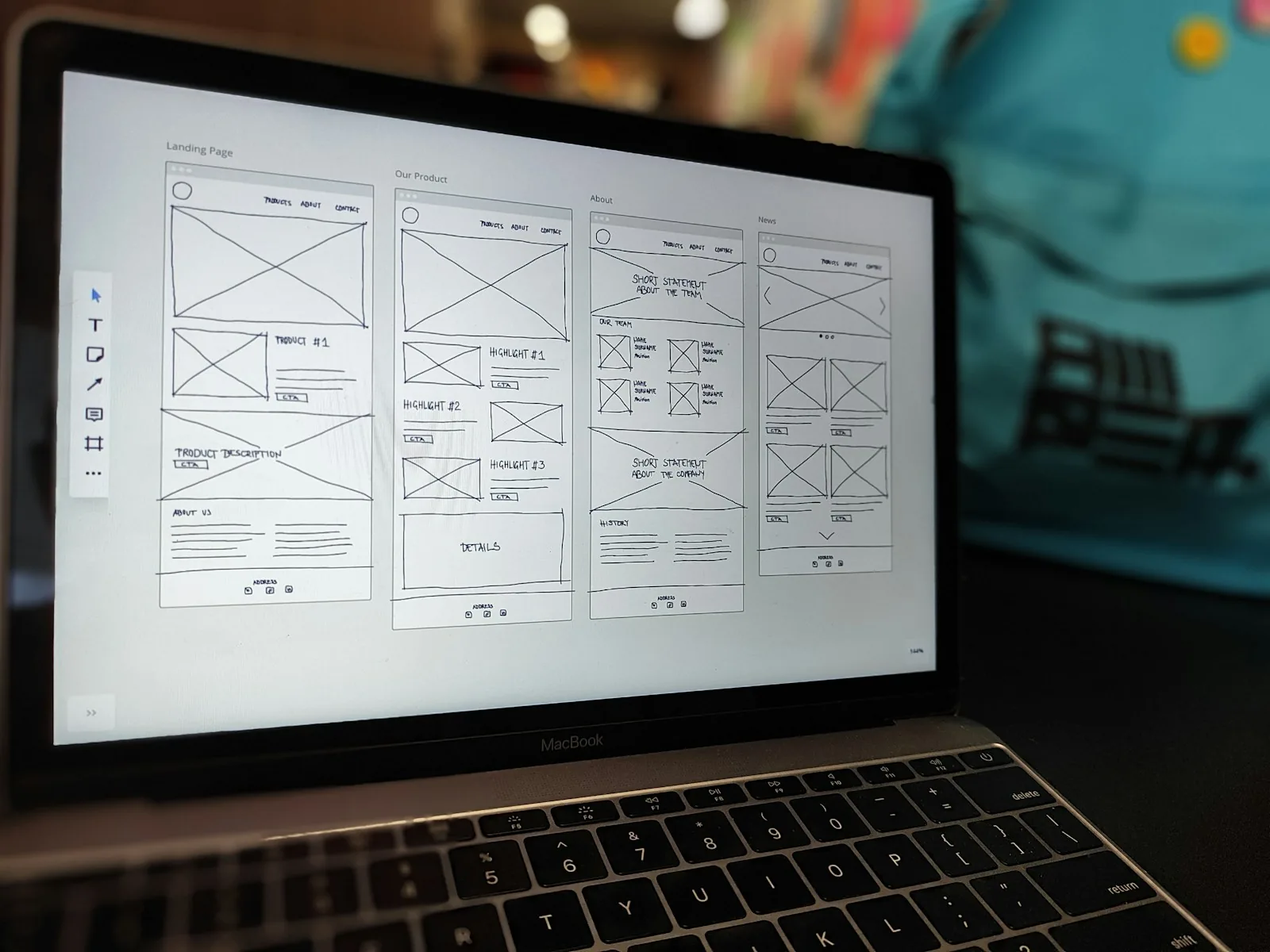

Generative UI does not remove design, it moves it. Design the grammar the model composes from: tokens, components and rules, not every page.
What is generative UI?
Generative UI is an interface that a model assembles at runtime from the user's intent, instead of a screen a designer drew in advance. Ask a travel app to compare three hotels near a conference venue, and instead of a chat reply or a fixed results page, you get a small comparison view built for that exact question: a map, three cards, a price column and a button to book. Next time you ask something else, the layout is different.
The short answer for product teams: generative UI does not remove design, it moves it. You stop designing every page and start designing the grammar the model is allowed to use: components, rules, constraints and the moments where a human decision is required. Teams that treat it as "the AI draws the screen" ship chaos. Teams that treat it as "the AI composes from our system" ship something that feels tailored and still feels like their product.
Why interfaces are starting to assemble themselves
For most of software history, an interface was a finite set of screens. Designers mapped flows, engineers built each screen, and every user saw the same arrangement with different data in it. That model works when tasks are predictable. It strains when users arrive with open-ended requests that no flow anticipated.
Chat interfaces solved the open-ended part and broke almost everything else. A wall of text is a poor way to compare options, adjust a filter or approve a payment. So the industry is converging on a middle path: the model understands the request in language, then answers with interface. The term got its current meaning when Vercel's AI SDK let a model stream real React components into a conversation, and large AI products have since shown answers that arrive as interactive widgets, tables and mini tools rather than paragraphs.
The pieces that make this practical are now ordinary. Models can reliably return structured output. Component libraries are well documented. Rendering frameworks can stream partial UI as it is produced. What is missing in most teams is not technology, it is a design approach built for interfaces nobody has seen in full before they appear.
Static screens vs generative UI
It helps to be precise about what changes and what does not. The table below compares a conventional designed product with a generative one across the decisions a product lead actually makes.
Decision | Static, designed screens | Generative UI |
|---|---|---|
What the designer delivers | Finished pages and flows | Components, layout rules, constraints and examples |
When the layout is decided | At design time | At request time, per user and intent |
Consistency comes from | Every screen being reviewed | A small, strict component vocabulary |
Testing | Test each screen and flow | Test the rules, plus evaluate many generated samples |
Failure mode | A missing screen for an unplanned task | A plausible but wrong or confusing layout |
Best suited to | Repeated, high-stakes, well-understood tasks | Open-ended questions, comparison, exploration, summaries |
Brand risk | Low, everything is reviewed | Real, unless the vocabulary is tightly bounded |
The verdict: keep static screens for the tasks your users repeat daily and the ones with money, safety or legal weight attached. Use generative UI for the long tail of questions your navigation could never cover. Almost every product that adopts it well ends up hybrid.
The Grammar Stack: what still gets designed
The most useful way to plan generative UI work is a model this article calls the Grammar Stack. It has four layers, and the model is only allowed to operate in the top one.
Layer 1: Tokens. Color, type, spacing, radius and motion values. These do not change per request, ever. If a model can invent a color, you do not have a design system, you have a suggestion.
Layer 2: Components. A deliberately small set of building blocks the model may use: cards, tables, charts, forms, steppers, confirmation panels. Each one needs a plain description of when it is appropriate, because the model reads that description to choose. This is the same discipline covered in UI/UX design services, applied to a reader that is literal and fast.
Layer 3: Composition rules. Which components can sit together, the maximum density of a view, what always appears first, where actions live. For example: never show more than one primary action, always show the source of a number, never render a payment form without a summary above it.
Layer 4: Generated arrangement. The only layer the model controls. It picks components from layer 2 and arranges them within the rules of layer 3, styled by layer 1.
When something goes wrong in a generative interface, it is almost always because a team let the model reach down into a lower layer. The fix is rarely a better prompt. It is a stricter grammar.
Where generative UI helps and where it hurts
It helps most where the question varies more than the answer format. Analytics products are the obvious case: every user wants a slightly different cut of the data, and a generated chart with the right filters already applied beats a dashboard with forty widgets. Support and account tools benefit too, because the same request ("why did my bill change?") needs different evidence for different customers. Internal tools, where speed matters more than polish, are a good first place to try it.
It hurts in three situations. First, anything people must learn and repeat quickly. Muscle memory depends on things staying where they were, and a layout that rearranges itself works against that. Second, high-stakes actions. A checkout, a medical form or a permission change should be a designed, tested, fixed screen that the generated view links into. Third, accessibility, if it is treated as an afterthought. Generated layouts need the same focus order, labels and contrast guarantees as designed ones, which means those guarantees belong inside the components, not in a review step that cannot keep up.
There is also a cost that is easy to miss: evaluation. You cannot review every generated screen, so you review samples. That means building a set of realistic requests, generating views for them regularly and checking them against your rules. It is closer to quality control in manufacturing than to a design review.
How to start without rebuilding your product
You do not need to rewrite anything to try this. Pick one surface where users already ask open questions, often a search box, a help panel or an assistant you already ship. Replace text-only answers with answers that may include two or three components from your existing library. Keep every action inside those components pointing at your existing, designed flows.
Then tighten the grammar based on what you see. Most teams find they need fewer components than expected and stricter composition rules than they wrote at first. If your design system is not documented well enough for a model to use, that becomes the real project, and it pays off for your human team as well. For products still at the idea stage, building the grammar in from day one is far cheaper than retrofitting it, which is part of how an AI MVP should be scoped now.
Frequently asked questions
What is the difference between generative UI and a chatbot?
A chatbot answers in text. Generative UI answers with interface: components such as tables, charts, forms and buttons that the model selects and arranges for the specific request, so the user can act on the answer instead of reading it.
Does generative UI replace designers?
No. It changes what designers deliver. Instead of finished pages, designers define the tokens, components, composition rules and examples the model works within, and they review generated samples for quality. The judgment moves up a level rather than disappearing.
Is generative UI safe for payments or sensitive actions?
Only as an entry point. The generated view can summarize and prepare an action, but the action itself should hand off to a fixed, designed and tested screen. Money, permissions and personal data should never depend on a layout the model improvised.
Do I need a design system before using generative UI?
In practice, yes. The model needs a bounded set of documented components to compose from. Without one, it invents styles and structures, and the product stops feeling like one product. Documenting the system well is usually the first and most valuable step.
How do you test a generative interface?
Build a library of realistic user requests, generate views for them on every meaningful change, and check the results against your composition rules and accessibility requirements. You test the grammar and a representative sample, not every possible screen.
What to do this quarter
List the ten questions your users ask that your navigation handles badly. For each one, sketch the ideal answer as components from your current library, not as a new page. If most of them can be built from parts you already have, you are ready to pilot generative UI on one surface. If they cannot, the gap tells you exactly which components your system is missing.
Digcy designs product interfaces and the systems behind them. If you want help shaping a grammar your product can safely generate from, get in touch.

Let’s keep in touch.
Discover more about high-performance web design. Follow us on Twitter and Instagram.
